
Download Password Repository – password manager, secure password storage, password vault, digital security, online safety, password protection, secure login, encrypted passwords
Resumen
Diseñado para personas que buscan una solución confiable para gestionar credenciales digitales, Password Repository funciona como una herramienta centralizada para almacenar y organizar información de inicio de sesión de forma segura. El software pretende abordar el creciente desafío de la fatiga de contraseñas y los riesgos asociados con credenciales débiles o reutilizadas en múltiples plataformas. Al ofrecer un enfoque estructurado para la gestión de contraseñas, ayuda a los usuarios a mantener una higiene digital más fuerte sin depender de la memoria o de prácticas inseguras como escribir contraseñas en papel.
Dirigido principalmente a consumidores y profesionales que gestionan múltiples cuentas en línea, Password Repository atiende a usuarios que priorizan la privacidad y la protección de datos. Ya sea gestionando correo electrónico personal, portales bancarios, redes sociales o servicios relacionados con el trabajo, la herramienta agiliza el acceso mientras minimiza la exposición a amenazas cibernéticas. Su enfoque en el almacenamiento seguro de contraseñas se alinea con preocupaciones más amplias sobre robo de identidad, phishing y acceso no autorizado.
El desarrollador, 412787944, no ha proporcionado información adicional de antecedentes, lo que limita la visión de su filosofía de desarrollo o historial. Sin embargo, la fecha de lanzamiento del software, 4 de marzo de 2024, indica que es una entrada reciente en el espacio de gestión de contraseñas. Los escenarios de uso del mundo real incluyen asegurar el acceso a servicios en la nube, simplificar flujos de inicio de sesión en dispositivos compartidos y proteger información sensible de amenazas locales.
Características clave y capacidades
- Encrypted Password Vault – All stored credentials are protected using strong encryption, ensuring that sensitive data remains inaccessible to unauthorized users even if the file is compromised.
- Secure Login Automation – The application supports automatic filling of login forms, reducing the risk of typos and speeding up access to frequently used accounts.
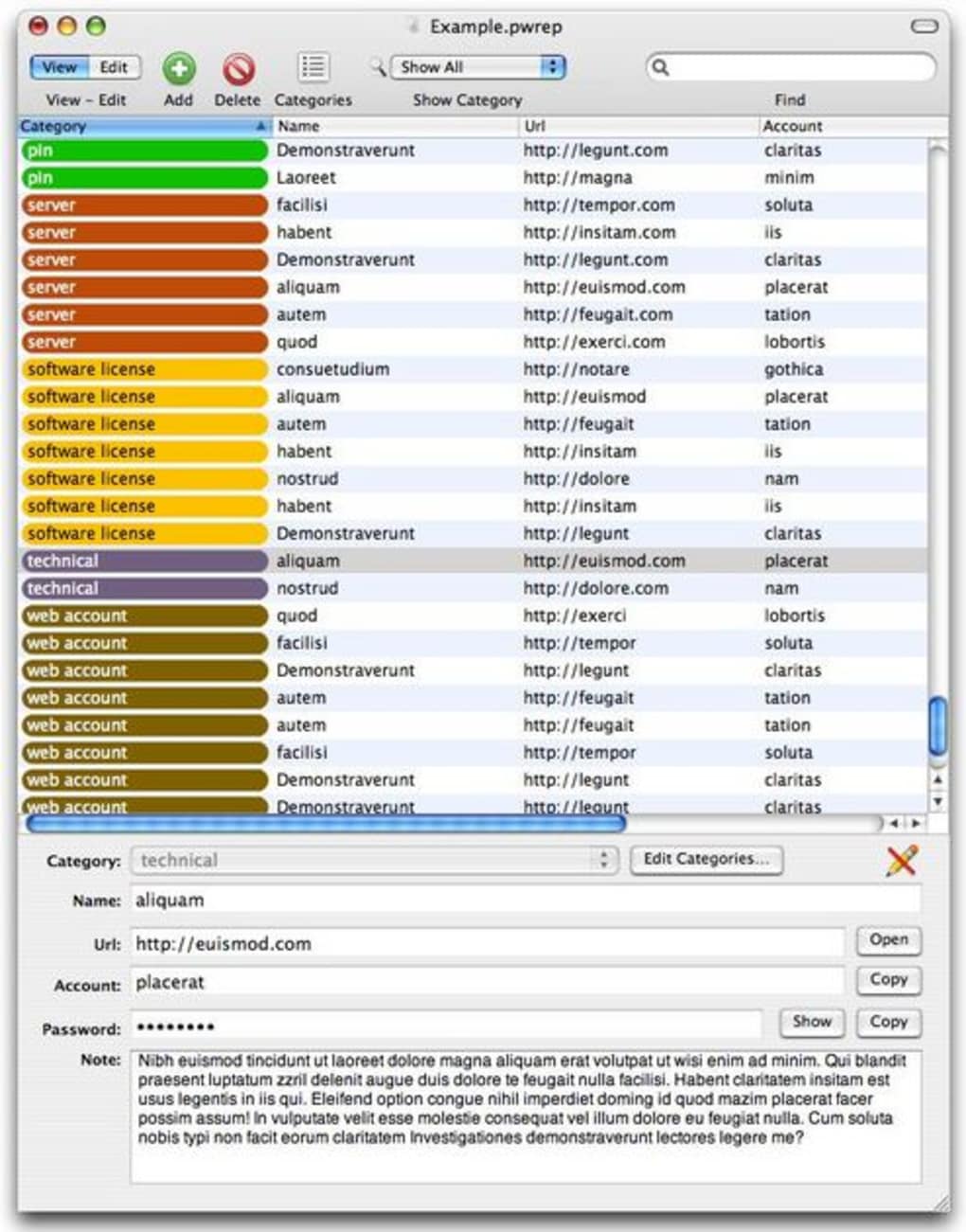
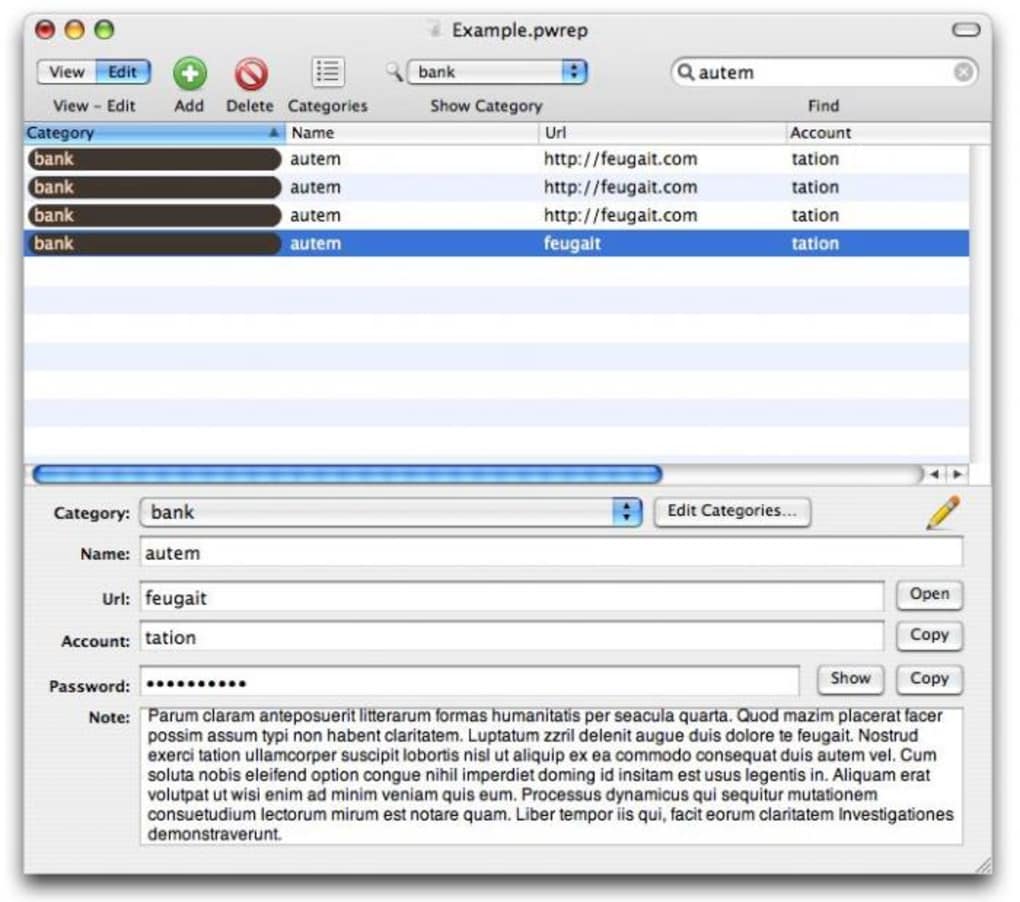
- Customizable Categories and Tags – Users can organize entries into custom groups such as “Work,” “Personal,” or “Financial,” improving accessibility and reducing search time.
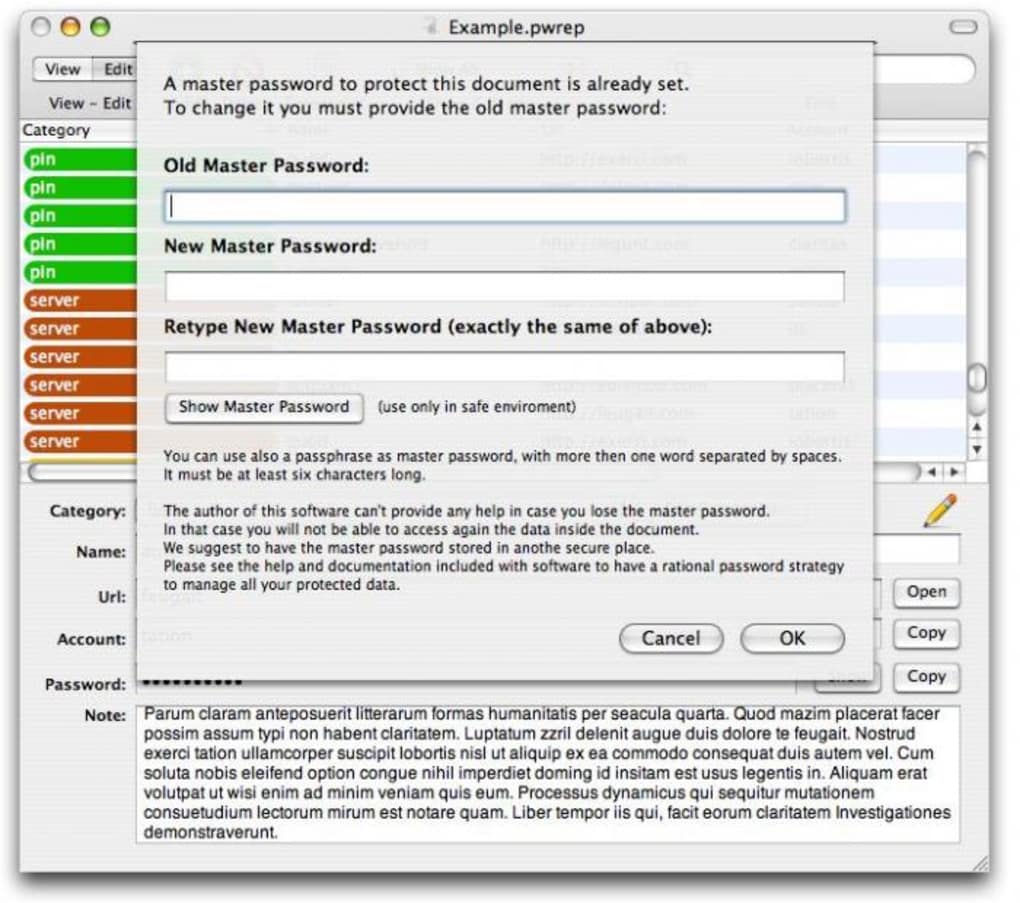
- Master Password Protection – Access to the vault is locked behind a master password, which is never stored or transmitted, maintaining control over data access.
- Cross-Platform Availability – Designed for both Windows and Mac, enabling consistent use across different operating systems.
These features support practical workflows such as logging into multiple work accounts without re-entering credentials, securely storing payment details for e-commerce, or managing access to third-party applications. The ability to categorize entries enhances usability, especially for users with large numbers of accounts. Encryption ensures that even if the data file is intercepted, it remains unreadable without the master password.
Interfaz de usuario, flujo de trabajo y rendimiento
While detailed UI specifications are not provided, the application appears to follow a clean, functional design typical of modern password managers. Navigation is likely intuitive, with a central dashboard displaying saved entries and quick access to search, add, and edit functions. The workflow emphasizes speed and security, allowing users to retrieve credentials with minimal steps.
Performance behavior was not specified by the developer. However, given the software’s small file size of 23.5 MB, it is expected to load quickly and operate efficiently on standard hardware. The developer did not specify resource usage details, so CPU and RAM behavior remain unknown. Stability is assumed to be consistent with similar desktop applications, but real-world testing data is not available.
General performance notes suggest that the tool functions within typical desktop application patterns—responsive interface, minimal lag during normal operations. Offline access is likely supported, as no cloud synchronization or internet dependency was indicated. This makes it suitable for environments where network connectivity is limited or security policies restrict data sharing.
Compatibilidad y requisitos del sistema
Password Repository is available for both Windows and Mac operating systems, offering broad accessibility across common desktop platforms. The software version is 1.1.3.1, released on March 4, 2024, indicating a current, actively maintained release.
The installation size is 23.5 MB, which is compact and suitable for systems with limited storage. Exact system requirements were not listed, so users should consider general compatibility standards for desktop applications. The developer did not provide specific hardware specifications such as minimum RAM, processor speed, or disk space beyond the installation size.
Platform compatibility information is limited, but the dual-platform support suggests the application is designed to run on mainstream desktop environments. Users should verify system readiness through standard installation procedures. No mention of legacy OS support was made, so compatibility with older systems remains unconfirmed.
Pros and Cons
Pros
- Compact file size (23.5 MB) for efficient storage and fast deployment
- Supports both Windows and Mac for cross-platform flexibility
- Encrypted password vault ensures high-level data protection
- Master password access maintains user control over sensitive data
- Secure login automation improves efficiency and reduces errors
Cons
- Exact system requirements were not specified
- No information on cloud sync or backup features
- Developer background is not publicly available
- Limited details on update frequency or support channels
- Price point of $19.99 may be higher than free alternatives
FAQ Section
Is Password Repository compatible with Windows and Mac?
Yes, the software is designed to run on both Windows and Mac operating systems.
Does the software require an internet connection to function?
There is no indication of cloud synchronization or online dependency. The application likely operates entirely offline, allowing full functionality without an internet connection.
Is Password Repository safe to use?
The software uses encryption to protect stored passwords and relies on a master password for access. Without a master password, data remains inaccessible. The developer did not provide third-party audits or security certifications.
How often are updates released?
The latest version, 1.1.3.1, was released on March 4, 2024. However, the update frequency has not been specified by the developer.
Can I use Password Repository on multiple devices?
While the software supports both Windows and Mac, no information was provided about syncing data across devices. Users should assume that data remains local unless otherwise stated.
Final Thoughts
Password Repository presents a focused, secure solution for managing digital credentials on desktop systems. With its encrypted vault, master password protection, and cross-platform availability, it addresses core concerns in digital security. The compact size and straightforward interface suggest a lightweight, efficient tool suitable for users who value privacy and simplicity.
While some details—such as system requirements, update cycles, and cloud features—are not disclosed, the software’s core functionality remains strong and relevant. It is particularly well-suited for individuals seeking a standalone password manager without cloud dependencies or subscription fees.
For users prioritizing control over their data and avoiding online storage risks, Password Repository offers a compelling option. Its price point reflects a premium experience, though it may not appeal to those seeking free alternatives.
Download Password Repository now







